Weather Scope NOAA Live Radar
Aviator AssistantWeather
4.5383.00 Reviews
- Version
- 3.13.4
- Installs
- 100.00K
- Age Rating
- Everyone
Screenshots
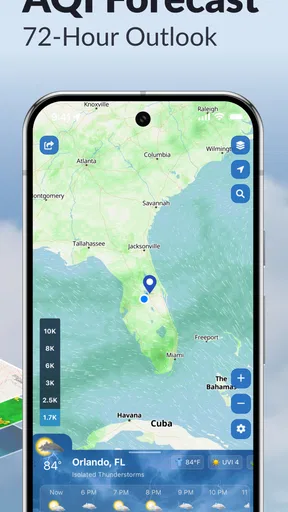
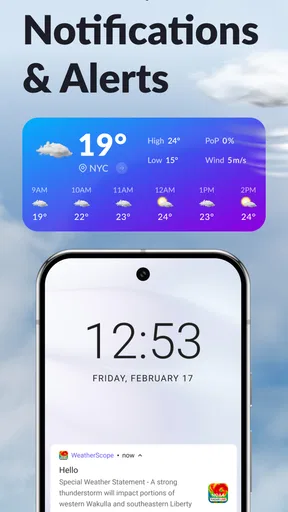
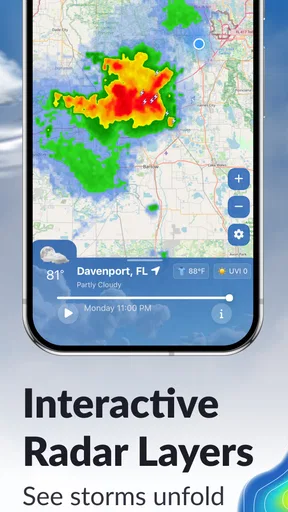
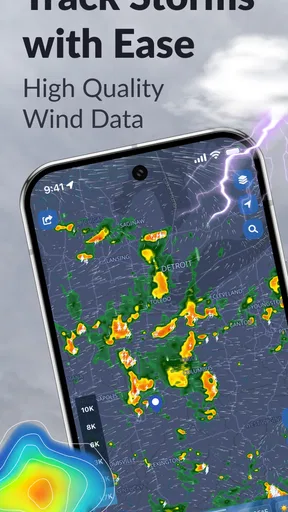
Our Review of Weather Scope NOAA Live Radar
 Analysis by Appyee
When I’m deciding whether to trust a weather app, I look beyond the forecast: I want to know what it helps me check, how much effort it takes, and whether its controls suit the way I plan my day. Weather Scope NOAA Live Radar is a free weather app from Aviator Assistant, with a focus on radar, forecasts, storm tracking, and alerts. I found it most useful as a practical planning tool, though I’d still pair any weather app with good judgment when conditions could affect safety.
What I check before relying on a forecast
Weather information can shape small decisions—what to wear, when to walk the dog—as well as bigger ones, such as whether to drive through a storm. That makes the difference between a quick glance and a careful check important. Weather Scope puts radar and forecasts in the same app, so I can look at the broader picture rather than base every decision on a single temperature or icon.
The app has a 4.6 average from around 3.9 thousand ratings, and it has been installed over 100 thousand times. Those figures suggest that many people have tried it, but I don’t treat popularity as proof that a forecast will match conditions on my street. I use the information as a guide and look again when timing or local conditions matter.
Controls and choices that matter in practice
Weather Scope’s emphasis on customizable snow alerts is useful for people who want weather notifications to match a specific concern. Rather than treating every alert as equally relevant, I’d set up snow notifications around the situations where they could change a plan—for example, deciding whether to leave earlier or rearrange an outdoor commitment. Customization can make alerts more useful, but it also asks you to spend a little time choosing what deserves your attention.
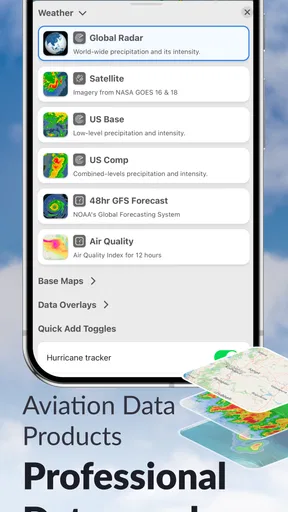
The app also offers radar and hurricane tracking, alongside forecasts. These serve different needs: radar helps me follow what is moving through an area, while a forecast is better for thinking ahead. I wouldn’t use a map view alone as a guarantee of what will happen at a particular address. For a changing storm, I’d check again before heading out and avoid treating a brief clear patch as a promise that the rest of a trip will be clear.
Location, privacy, and moments that need care
Local weather is more useful when it reflects the place I care about, but location is also personal information. Weather Scope is described as using a phone’s GPS to provide local conditions. I’d consider whether I want that access enabled and review my device’s location settings before relying on location-based information. If I prefer not to use GPS, I would check what location options are available in the app rather than assume how it handles a manually chosen place.
When a forecast could affect a commute, travel, or a severe-weather decision, I use the app as one input, not my only source of certainty. Radar can help me see the pattern, but interpreting it takes care: the view is not the same as a personal warning or a promise about conditions along an entire route. If I’m making a consequential decision, I check the latest information again close to the time I need it.
Who will get the most from it
I think Weather Scope suits people who want more than a basic daily temperature, especially those who regularly check precipitation, track storms, or want snow alerts tailored to their needs. It is also a sensible option for someone who likes seeing weather movement on a map rather than relying only on a short text summary. The app is free to download and is rated for Everyone, which makes it accessible to a broad range of users.
On the other hand, someone who only checks the forecast once in the morning may find a simpler built-in weather app quicker. And if you need highly specific planning for a particular activity, I would compare the information here with a source suited to that decision instead of assuming one general weather app covers every detail. Weather Scope’s current version is 3.8.0, and it requires Android 8.0 or later. In-app purchases are listed from $8.99 to $69.99 per item, so I’d check the purchase details in the app before spending anything; the free download does not mean every option must be free.
Getting Started with Weather Scope
First things first, downloading and setting up Weather Scope NOAA Live Radar was a breeze. Available on both Android and iOS, I found it easily on the app store, and within minutes, I was up and running. The app’s interface is clean and straightforward, which I appreciate because who wants to navigate through a maze just to check the weather?
Upon opening the app, you’re greeted with the current weather conditions in your location. The app uses your phone’s GPS to provide accurate local weather data, which is handy for those of us who travel frequently or live in areas with rapidly changing weather patterns.
Features That Stand Out
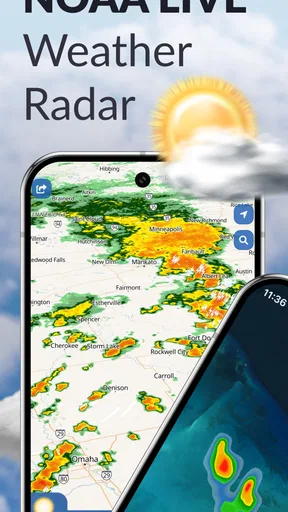
One of the standout features of Weather Scope is its live radar. The radar updates in real-time, so you can actually see the weather systems moving across the map. It’s not only useful but also kind of mesmerizing to watch. Whether you’re tracking a storm or just curious about the weather patterns, this feature is incredibly detailed and accurate.
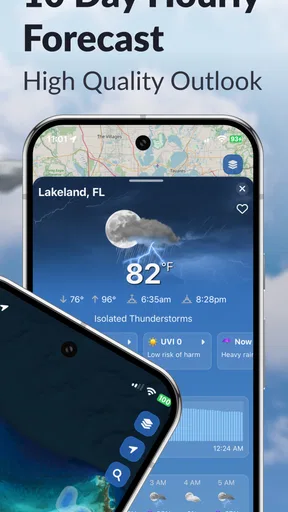
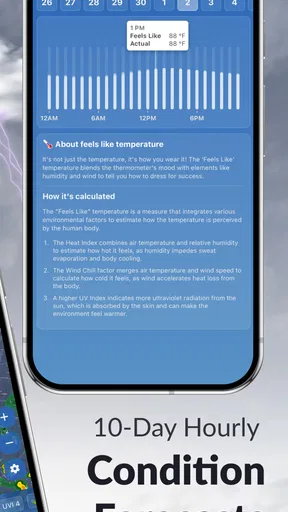
Another feature I found particularly useful is the detailed forecasts. The app offers hourly, daily, and even weekly forecasts, which are great for planning ahead. If you’re like me and love to plan outdoor activities, having a reliable forecast is crucial. The app also provides alerts for severe weather conditions, keeping you informed and safe.
User Experience and Design
The design of the app is simple yet effective. With a minimalistic approach, it avoids overwhelming you with unnecessary information. The color scheme is easy on the eyes, and navigation is intuitive. The app also includes a customizable widget for your home screen, allowing you to check the weather at a glance without even opening the app.
I also appreciated the lack of intrusive ads. While there are some ads present, they’re not overwhelming, which is a pleasant surprise compared to other free weather apps I’ve tried in the past.
Making radar and forecasts useful day to day
The strongest everyday use case, in my view, is deciding when to act rather than asking the app to make the decision for you. If I have an outdoor errand later, I can check the forecast first, then use radar nearer the time to see whether rain appears to be approaching. That two-step habit is more useful than opening the app once in the morning and assuming the day will unfold exactly as predicted.
For a realistic example, imagine I’m planning a walk after work while unsettled weather is nearby. I’d look at the hourly outlook to choose a likely window, then check the radar before leaving. If the map suggests a change is moving toward me, I could shorten the walk or bring a rain layer. The useful insight is not that radar removes uncertainty; it gives me a reason to revisit the plan before I’m already outside.
For snow, I’d treat customizable alerts as a prompt to review arrangements, not as a substitute for checking the conditions where I’m going. A notification is most helpful when it leads to a concrete action—allowing extra time, checking a route, or moving an outdoor task indoors. If alerts are too broad for my routine, I’d adjust them rather than simply ignoring every notification.
How it compares with a basic weather app
A standard phone weather app is often the fastest choice for a quick temperature check, and I’d keep using one if that were all I needed. Weather Scope makes more sense when I want radar, storm context, or alerts that can be tailored around snow. Its value is less about replacing every weather source and more about bringing those checks into one place for someone who actually uses them.
There is a trade-off: maps and alerts ask for more attention than a simple daily forecast. A moving radar view can be compelling, but it can also encourage overconfidence if I read it as a precise prediction for one street. I would use the visual overview to understand the general direction of a system, then rely on current local guidance when the consequences of getting it wrong are serious.
Why You Should Give It a Try
If you’re looking for a reliable weather app that offers more than just the basics, Weather Scope NOAA Live Radar is a solid choice. It’s particularly beneficial if you live in an area prone to severe weather, as the app’s alerts and live radar can provide crucial information in real-time.
What really sets this app apart is its balance between functionality and simplicity. It manages to pack in a ton of features without sacrificing user experience, which is no small feat. Plus, the app’s customization options mean you can tailor it to your specific needs, whether that’s tracking hurricanes or just knowing if you need a jacket tomorrow.
Final Thoughts
After using Weather Scope NOAA Live Radar for a few weeks, I can confidently say it has earned a permanent spot on my phone. It’s reliable, easy to use, and provides all the weather information I need without any hassle. Whether you’re a weather enthusiast or just someone who doesn’t want to get caught in the rain again, this app is definitely worth checking out.
So next time you’re debating whether to bring an umbrella, let Weather Scope NOAA Live Radar make the decision a little easier for you.
A cautious way to make the final call
My recommendation comes with a practical boundary: use Weather Scope when you want a convenient view of local conditions and weather movement, but don’t let a forecast replace a last-minute check when plans depend on it. For everyday choices such as clothing or the timing of a short outing, that balance feels sensible. For hazardous weather, I’d treat alerts as a reason to pay attention and seek current local advice, not as a guarantee that I’m safe to travel.
I’d also take a moment to decide how I want location and notifications to work on my phone. Those choices affect how convenient a weather app feels, and they are worth reviewing rather than accepting automatically. If you’re comfortable with that setup and expect to use radar or tailored snow alerts, this app has a clear purpose. If you only want a bare-bones forecast, your phone’s default option may be enough.
Overall, I see Weather Scope as a useful middle ground: more visual and weather-focused than a quick glance at a basic forecast, but still approachable for ordinary planning. Its best results come from combining the radar, forecasts, and relevant alerts with your own judgment. That makes it a good fit for curious, weather-aware users—and a less compelling choice for anyone who wants a forecast to be completely hands-off.
Privacy and Permissions
See what permissions an app requests and how it handles your data.
- Location
- approximate location (network-based), precise location (GPS and network-based)
- Photos/Media/Files
- read the contents of your USB storage, modify or delete the contents of your USB storage
- Storage
- read the contents of your USB storage, modify or delete the contents of your USB storage
- Other
- view network connections, full network access, control vibration, prevent device from sleeping
Verdict
Strengths of Weather Scope NOAA Live Radar
- Accurate real-time weather updates.
- Interactive radar maps with zoom.
- Customizable alerts for severe weather.
- User-friendly interface design.
- Detailed forecasts up to 10 days ahead.
Limitations of Weather Scope NOAA Live Radar
- Ads can be intrusive at times.
- Some features require a subscription.
- Occasional loading delays on radar.
- Limited widget customization options.
- Battery usage can be high with GPS.
Other Releases by Aviator Assistant
View All
Aviator Assistant - Pilot App
Weather4.6
Similar Picks in This Category
View All
Weather - By Xiaomi
Xiaomi Inc.4.1

Weather & Radar Forecast
WetterOnline4.8

Weather
OneLouder Apps4.6

AccuWeather: Weather Radar
AccuWeather3.6

The Weather Channel - Radar
The Weather Channel4.6

1Weather Forecasts & Radar
OneLouder Apps4.3
Frequently Asked Questions
What features does Weather Scope NOAA Live Radar offer?
Weather Scope NOAA Live Radar provides real-time weather updates, interactive radar maps, severe weather alerts, and detailed forecasts. Users can customize alerts for specific weather conditions and locations. Additional features include temperature trends, wind speed, and humidity levels, making it a comprehensive tool for weather enthusiasts and casual users alike.
Is the app available for both Android and iOS devices?
Yes, Weather Scope NOAA Live Radar is available for download on both Android and iOS platforms. Users can find it on the Google Play Store for Android devices and the Apple App Store for iOS devices. This ensures broad accessibility across different mobile operating systems.
Does Weather Scope NOAA Live Radar require a subscription or is it free to use?
Weather Scope NOAA Live Radar offers a free version with essential features. However, there is a premium subscription available that unlocks additional functionalities such as ad-free usage, advanced radar features, and personalized weather alerts. Users can choose the version that best suits their needs.
How accurate are the weather forecasts provided by the app?
The app sources its data from NOAA, a highly reputable meteorological organization, ensuring accurate and up-to-date information. While forecasts are generally reliable, it's important to remember that weather predictions can vary due to unforeseen changes in weather patterns.
Can I customize the weather alerts I receive from the app?
Yes, Weather Scope NOAA Live Radar allows users to customize their weather alerts. You can set notifications for specific weather conditions, such as thunderstorms, heavy rain, or snow, and select the locations you want to monitor. This feature helps users stay informed about weather changes that matter to them.
